Import preset variants
If you import transactions from the same broker into different accounts — say a regular brokerage and a retirement account — you no longer have to reconfigure the import preset every time you switch. Just create a variant for each account.
Every variant remembers its own settings — which account to import into, how to map certain fields, what currency to use — while the underlying preset stays the same. When the preset gets updated (for example when we add support for a new transaction type), all your variants pick up the change automatically.
- Click Save & rename from the bottom-right context menu preset while importing and choose Save as variant to create a new variant with your current settings
- Pick the right variant from the preset list next time — no more switching accounts manually
- All variants stay in sync with the parent preset, so you only maintain one
Full-page tax preset editor
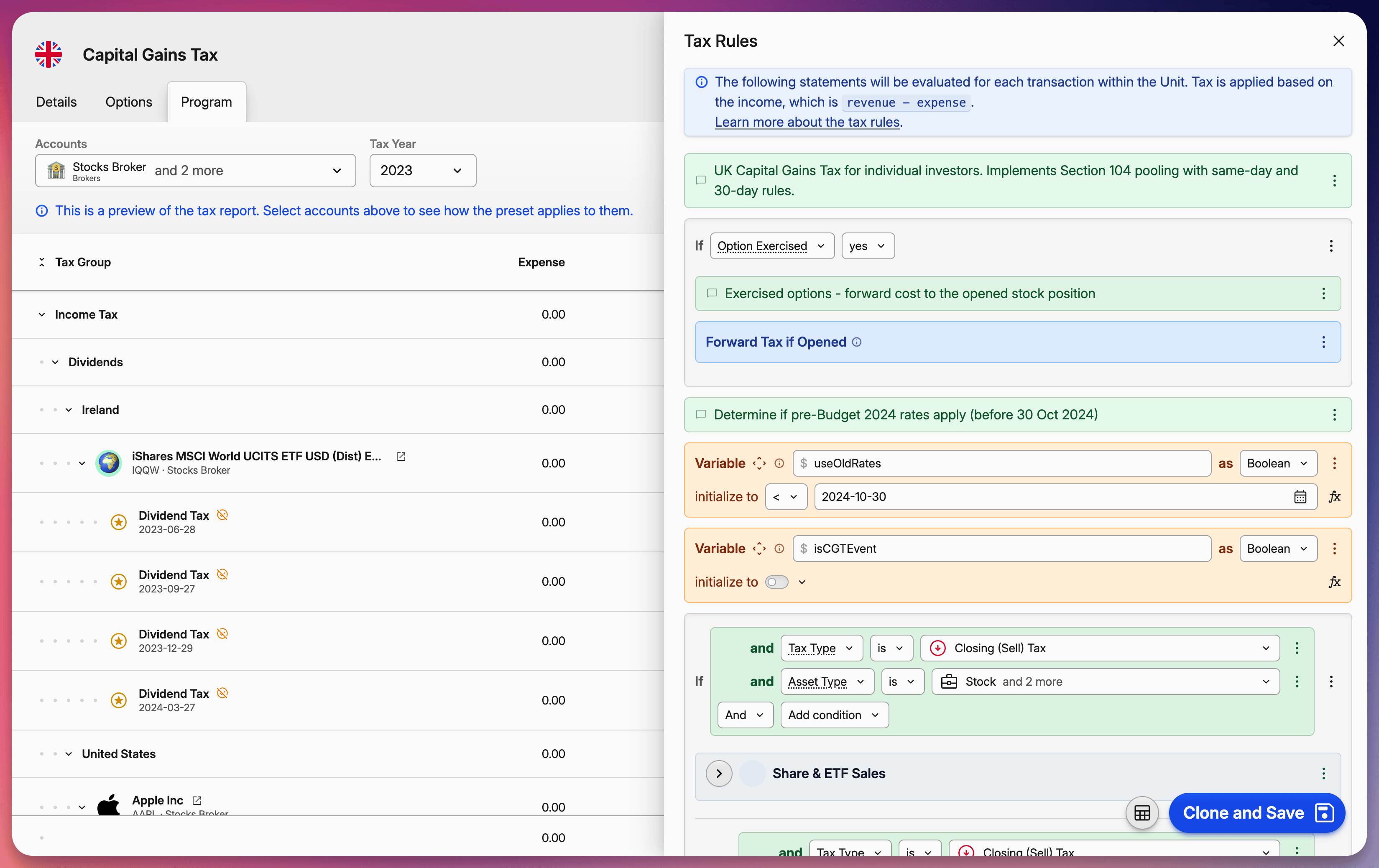
Editing tax presets now happens on a dedicated page instead of a small modal. Similarly to imports, you can see a live tax report preview right next to the rules editor. Switch between accounts and tax years to test how your rules behave before saving anything.
Your changes are stored as a draft until you explicitly save them into the project, so you can experiment freely without worrying about breaking your current setup. If something doesn't look right, just revert and try again.