Import suggestions, imports into any account, and a truer real return
This release is mostly about custom imports: getting a new file imported much more easily.
The import wizard proposes how to read each column
Point a field at a column in the import editor and Capitally now looks at that column's values and proposes what to do with them, as toggles under the field. Switch one on and the preview updates straight away.
- Extract ISIN, Extract symbol or Extract number when the value sits inside longer text.
Bought 20 x 250 AAPLgives youAAPLfor the asset20for quantity and250for the price - all from a single field. - Make positive or Flip the sign for fees and amounts your broker exports with the opposite sign.
- Map N values for the transaction type which intelligently extract meaningful phrases to map them to transaction types.
Try it with the files you struggled with before - it's almost like magic.
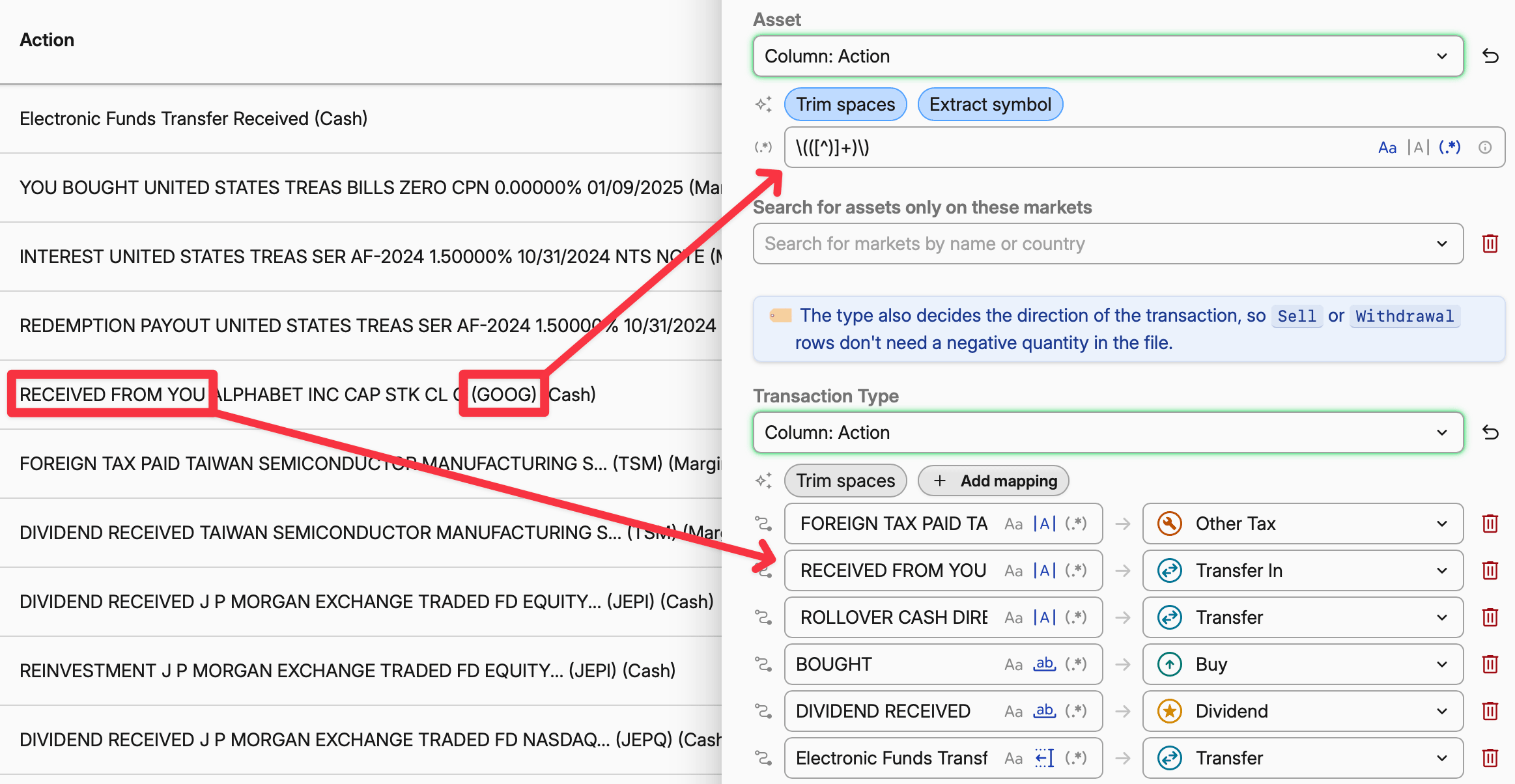 Proposals under the Asset, Transaction Type and Fee fields
Import straight into an account
Open an account and choose Import here from its menu. If you've imported into that account before, the last preset you used opens with its instructions and a drop zone. If you haven't, you pick one from the list. Rows from a single-account file land in that account, so there's no account column to map and no question to answer in review.
You can also drop a file anywhere in a project. Capitally checks it against the presets you've used for the account you're viewing first, then against every preset that recognizes the file's header. It goes straight to the import when one matches, and asks you to choose when several do. See Importing data.
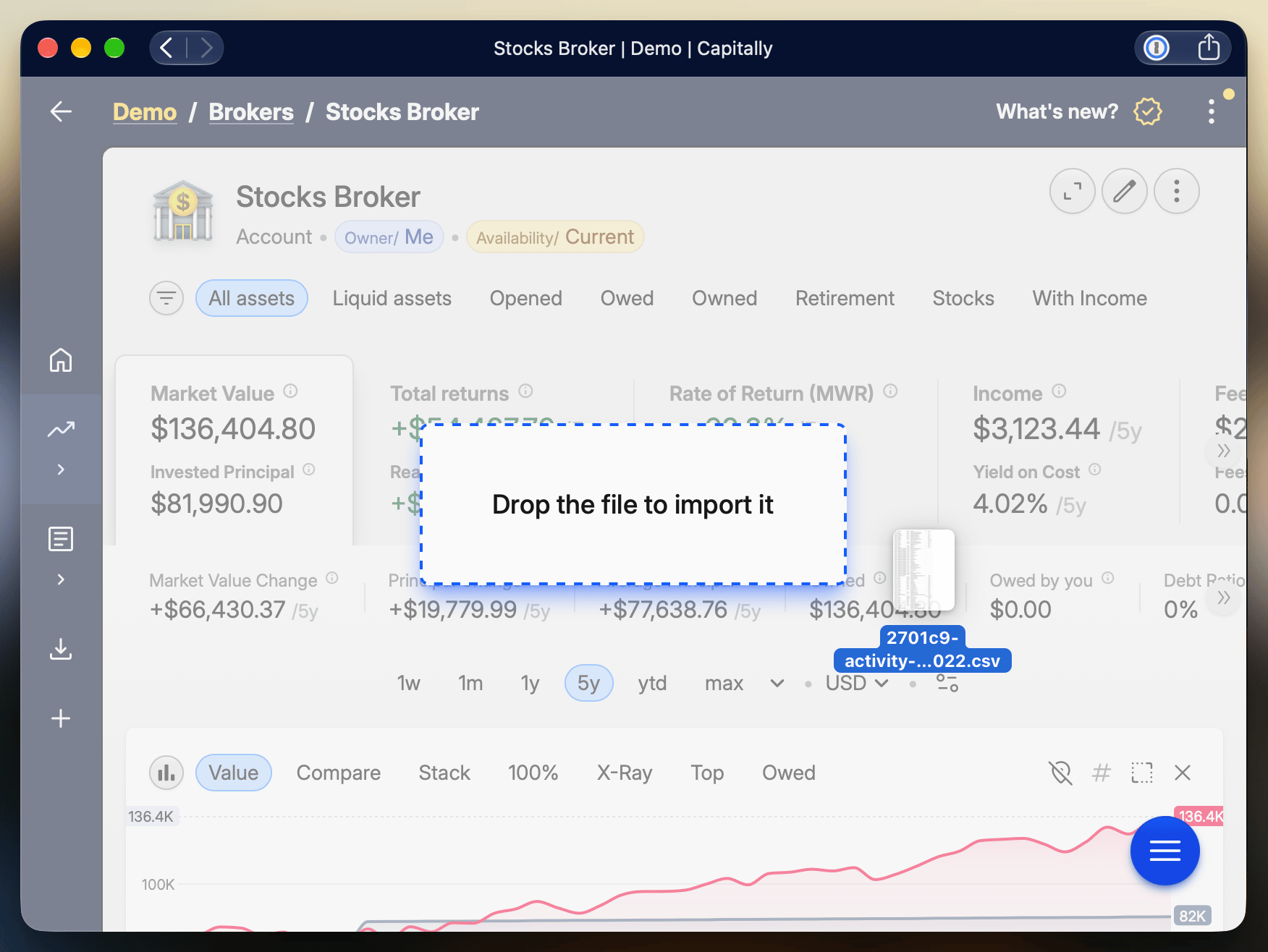 Import here in the account menu
Create missing assets and accounts in one click
When an import can't match an asset or an account, the row now has a Create button. It opens the asset or account form already filled in with the name, symbol, ISIN and type the file gave. The warning above the review has a Create N missing objects action that creates all of them at once. Nothing is created until you confirm, and whatever you create is remembered for the next import through the same preset. See Reviewing the items to be imported.
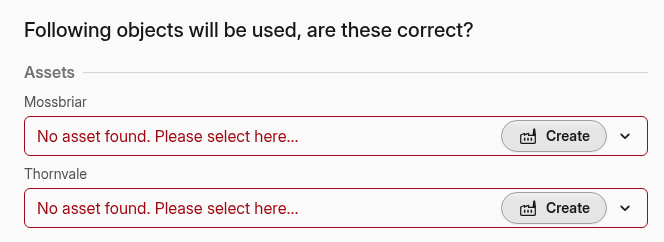 Creating unmatched assets from the import review
Discounted IRR now deflates every cash flow
Discounting a money-weighted return by a benchmark, such as CPI for a real return or an index for excess return, now divides each deposit, withdrawal and the closing value by the benchmark's growth up to that day, then solves the IRR. Before, Capitally adjusted the finished IRR by the benchmark's start and end values. That is only exact when no money moves in between. A portfolio tracking its benchmark exactly, with regular deposits, could read around −23% p.a. It now reads 0%.
With CPI, the result is the IRR of your purchasing power. With an index, it's an excess IRR in the style of Direct Alpha. TWR and ROI are unchanged.
Also released lately
- Presets that set up bonds, deposits and loans. Programmable presets have three new statements for setting up interest-based pricing. See Programmable presets.
- Import presets: ING Netherlands transactions, Odlum Brown historical activity with treasury bills, Alior DM English exports, Firstrade US Invest 3.0 dates, the current XTB Excel layout with option premiums, renamed PKO TFI PPK columns, and IBKR Flex Queries without cash summary rows.
- Dozens of bug fixes and quality of life improvements.