What is an Account?
An 'Account' within Capitally may directly correspond to your existing broker or bank account. Every account lives inside a project, and one project holds any number of them. If you find it more useful to group your assets in terms of portfolios, it's completely fine to create accounts to represent these portfolios. Essentially, an account here is a logical structure devised to neatly store and organise your assets.
However, if you feel you don't need this level of organisation, you may choose to not use accounts at all.
Adding Assets to an Account
To add an asset to an account, you will need to assign the account when creating the transaction. This approach allows you to hold the same asset across multiple accounts. For instance, you may have the same ETF in both your current and retirement accounts, or multiple cash balances.
Always remember to assign a proper account when adding a transaction. If you forget to do so, the asset will default to <No Account> which might not be what you wanted. Import here starts a targeted import from an account opened in Portfolio; you can also add the transaction directly within the account.
Importing into an account
Open an account in Portfolio and choose Import here to start an import targeted at that account. Capitally opens the template last used for that account, or the template picker if there is no history, and fills the account into single-account imports so you do not have to select it during review.
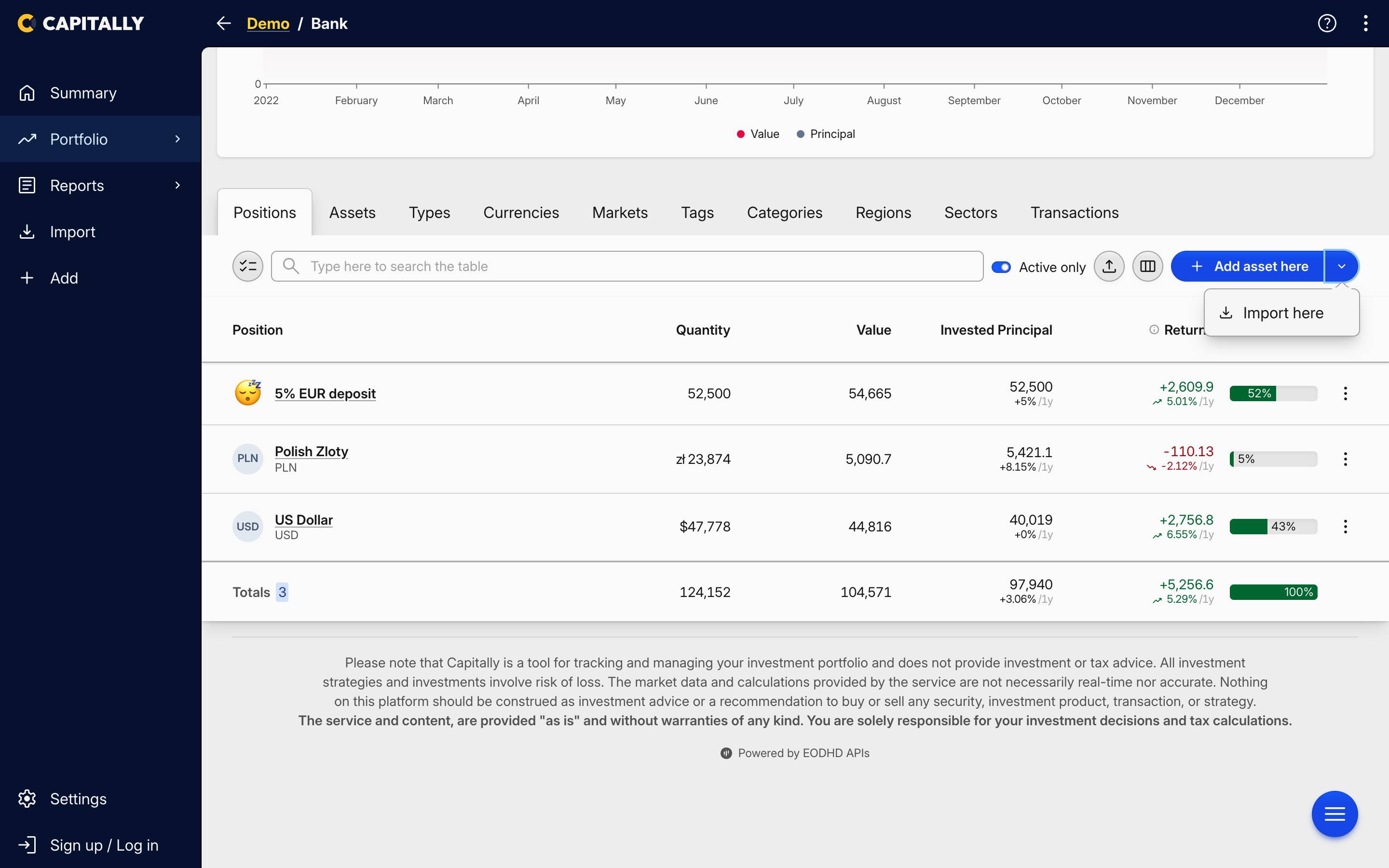 Import here in an account's actions menu
Dropping a file while viewing the account targets it the same way. A file that references more than one account is left unchanged.
Positions that landed under No Account
If transactions arrived without an account, they collect under <No Account>, and the fix is a bulk edit rather than a re-import. Open the Positions view, select the rows sitting under <No Account>, and set the account on the whole selection at once. You can do the same from the Transactions table if you want to move individual transactions instead.
Moving a position reassigns every transaction of that asset to the account you pick. Anything already on the target account stays exactly as it is, so the move is safe even when that account already holds the same asset. Organizing portfolio shows the bulk edit in a short video.
Tax presets are attached to accounts
A tax preset is assigned to an account, so positions left under <No Account> are excluded from tax calculations. If your Taxes Due report comes back empty, check for positions still parked there before looking anywhere else.
One account, many currencies
You never need a separate account per currency. One Capitally account maps to one real-world account and can hold positions denominated in any number of currencies at once — a Polish IKZE holding PLN government bonds alongside USD and EUR ETFs is a single account, not three.
Every position keeps its own currency, so cost basis, income and FX attribution are computed in the currency you actually traded in, while consolidated totals are converted to the project currency. You can change the display currency at any time from the Currency dimension in Portfolio, including Asset currency, and the underlying numbers do not move. How Capitally handles multi-currency and FX covers the attribution itself.
Cash works the same way: one bank account carries one cash balance per currency, rather than one account per currency. The exception is two accounts at the same institution in the same currency — those need either a second Capitally account or a custom Cash or Deposit asset to stay apart. See Bank Accounts.
Unlimited Accounts
You can create as many accounts as required to fine-tune your investment tracking. You can then compare the value of your holdings between these accounts via both the dashboard and explore pages.
Hiding closed or empty accounts
Capitally has no archive function for accounts. To get a closed account out of the way, use the Active only toggle above the accounts and positions table: with it on, accounts and positions with no current holdings are hidden, so a closed account with a zero balance drops out of the list while its full transaction history stays in the project untouched. Turn the toggle off and every account is back.
The same toggle explains the opposite surprise. An account you have just created, with no transactions in it yet, holds nothing — so it is hidden while Active only is on. If you added accounts and cannot find them, check that toggle before anything else.
Hiding an account does not take it out of the maths. Closed accounts are still included in returns and charts for the periods they were active. To leave one out of an analysis, either add a filter that excludes it, or set a date period covering only the window it was active — both are dimensions in Portfolio.