What is an asset?
An asset is anything of value that you own. It can be common stock, ETFs, real estate, cars, bonds, or any other item.
Using assets
You can use market assets provided by Capitally by searching for them with Add Asset, or creating your own custom assets with Add Asset → Create custom asset. They can also be added while importing.
Assets belong to you - you can edit their name, symbol, market, currency, or price with Edit Asset. If you use a market asset, it's actually copied over so you can customize it freely. Capitally is very flexible here, so make them yours.
Deleting an asset deletes its past results too
Every figure in Capitally is recomputed from your full history. Delete an asset or a transaction — including one whose position closed at zero years ago — and its realised gains, dividends, fees and contribution to past returns leave your results with it. That is what keeps the numbers internally consistent, and it means deleting is not a way to tidy up the view.
To hide a closed position instead of removing it, use the Active only toggle above the table, which hides positions that were empty during the selected period, or filter it out with a tag. See Portfolio for both.
Organizing assets
Assets can be organized in four ways:
- Each asset can belong to a market. You can search for existing market, or create a custom one, like a market for Real estate in your area, or having a SaaS market for ventures.
- Each asset has a currency - you can then group assets by currency in the Portfolio.
- Asset can belong to multiple accounts, but only once you create a transaction that uses these accounts.
- Assets can be organised in a hierarchy with Tags.
Setting asset's value
The asset itself doesn't have value - you need to add Buy, Transfer or Balance transactions to give it a quantity. That's why it might be tricky to find an asset that you haven't created an initial transaction for.
Asset prices
Every asset has a market price.
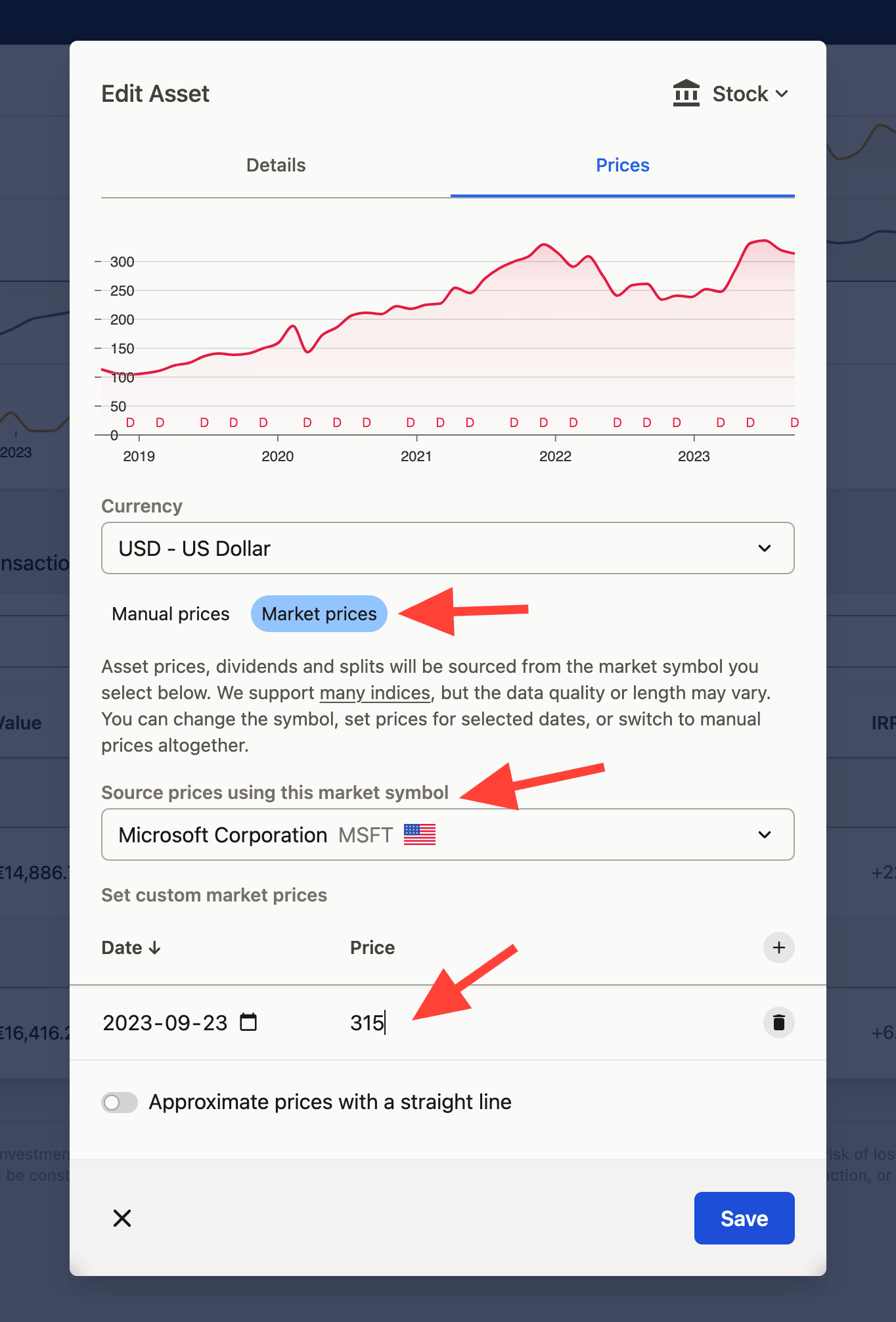
You can choose prices provided by Capitally be searching for a specific market symbol. This way, you can change the underlying market symbol for a more suitable one, or create a custom asset that is priced the same as another one.
For example, there's currently no ETH2 token available. You can create one yourself and use ETH as the source price. Once ETH2 is released, you can change the source to the correct symbol.
Asset icons and logos
Logos for market-traded assets are pulled automatically from the data provider, and you can replace any of them. Edit the asset and open the logo section: the Logo tab searches the market-asset database, so logos for publicly traded companies are usually there. Give the backend a second to respond.
That search only covers market-traded assets, so a custom asset returns nothing. For those, paste a custom URL pointing at a PNG, JPEG or WebP file — searching Google for "[company name] logo" and switching to image results is usually the quickest way to find a small PNG. Avoid ICO (favicon) files, which browsers can't render here, and note that some web servers block hotlinking, so an image that displays on its own page may still fail to load in Capitally. If that happens, host it elsewhere or pick another source.
Cash and Deposit assets
Cash and Deposit are the two ways to hold money. Cash is money without interest — notes in a drawer, or the uninvested balance sitting at most brokers. Its price is fixed at 1 and can't be changed, so the quantity is simply the amount of money and only the currency matters. Deposit is money that earns interest — a savings account, a term deposit, a CD — and its value grows as interest accrues.
For a Deposit, set up interest-based pricing in the asset's Prices tab and the value updates itself. Tracking Bonds & Deposits walks through the fields.
Read more about tracking Cash accounts here.
Why currencies you never added appear in the Assets list
Interest and other income transactions are assigned to a currency asset, so USD, EUR or PLN can show up in your Assets list even though you never created them. That is expected — those transactions are booked against the currency.